How to archive a scenario
Last updated: March 31, 2026
Context
You may want to archive a scenario that you no longer need. This helps keep your scenario list organized and removes outdated or unnecessary scenarios.
Answer
To archive a scenario, you must be the owner of that scenario. Follow these steps:
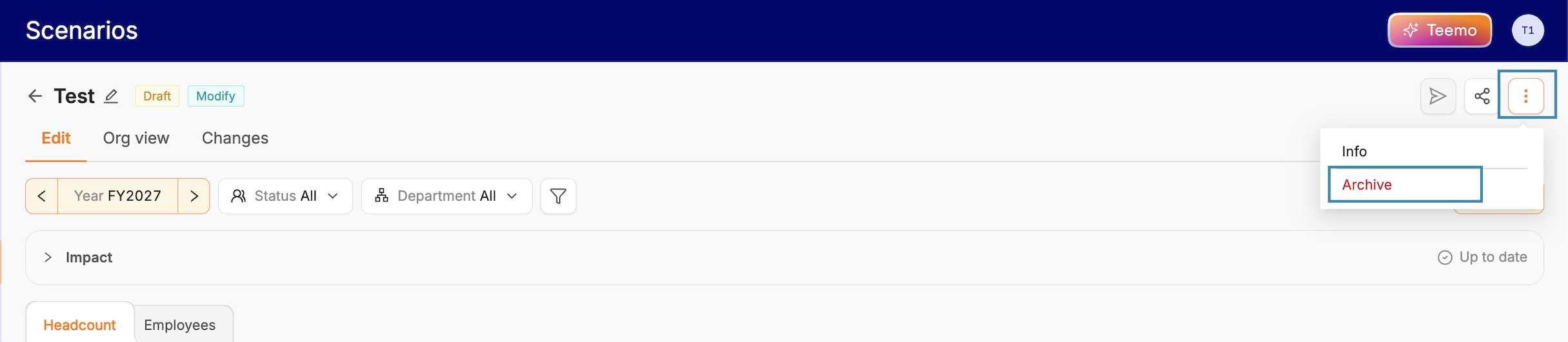
Open the scenario you want to archive
Click the button with the three dots on the top right corner of the scenario
You will find the option to archive the scenario
Note that only the creator of a scenario has the ability to archive it. If you are not the creator, you will not see this option available.