Sensitivity Toggle
Last updated: August 12, 2026
As a single source of truth for headcount, TeamOhana houses a wealth of employee and headcount data, including confidential information like compensation, job level, equity, and any custom headcount/employee field that is set as "sensitive".
All of those fields are already access- and permissions-controlled. However, in the event that a user with high visibility is internally demoing TeamOhana and sharing their screen, we've created an easy way to ensure none of that sensitive data is accidentally exposed.
The sensitivity toggle is an icon shaped like an eye right above your avatar at the bottom of the main navigation menu.
*Please be mindful of refreshing browser while sharing screen with sensitive toggled enabled as this may clear the sensitivity shield.
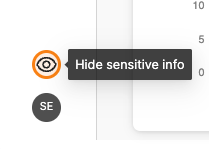
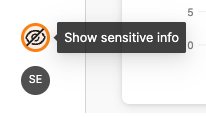
When the icon is clicked, a diagonal line will strikethrough the eye, indicating that sensitive information is hidden. The icon can be clicked again to turn off the filter and bring back the sensitive information.
Refer to the table below for the standard fields that will be hidden from each page while the sensitivity filter is enabled.
Page/Section | Fields |
Ledger Top level stats | FY Cost, Annual cost |
Ledger Tables (All tabs) | Job level, Currency, Base salary, Variable pay, Equity |
Hiring Tracker | Target comp, Actual comp, Target equity, Actual equity, Level |
Variance Tracker | Top level stats (all cards), Budget comp, Budget FY Impact, Target comp, FY Impact, Remaining budget |
Recruiting Workboard & Dashboard | Job level, Target comp, Actual comp |
Requests page | Target comp, Target Equity, FY impact |
Approvals page | Target comp, Target Equity, FY impact |
Org chart | Job level, compensation |
Headcount profile | Target base, Target equity, Variable |
Employee profile | Job category and level, Base salary, Equity, Variable pay |
Dashboard | Cost section |
Headcount details page | Target base, Target equity, Target variable, Offer details (Base, Equity, Variable), Link employee (Base, Equity, Variable) |