Linking Headcount to Jobs and Offers in Greenhouse
Last updated: August 19, 2026
Linking each headcount to its Greenhouse job req and opening connects your hiring plan to your recruiting pipeline — hiring status and offer details then update in TeamOhana automatically. This article is for Recruiters, whose primary role in TeamOhana is to link their assigned headcount to jobs and offers in Greenhouse.
Prerequisites
The Greenhouse integration must be connected (see Integrating Greenhouse with TeamOhana)
The headcount must be approved and marked Ready to Hire
The job req should exist in Greenhouse with an opening ID
Use opening IDs
When creating job reqs in Greenhouse, we strongly recommend using opening IDs — they are what enable offers to auto-link to headcount in TeamOhana. Greenhouse can enforce and generate them for you:
A permission policy can make opening IDs required for all jobs
Greenhouse can auto-generate opening IDs — however, we recommend that best practice is to use the TeamOhana Headcount ID as the opening ID
Important: Without opening IDs you can still link headcount to the job req, but every offer will need to be linked manually. (not recommended)
Link a single headcount from the email notification
Recruiters receive an email notification when they are added to a headcount. This does not directly indicate the recruiter should move forward with linking to Greenhouse. The final notification letting recruiter know it is time to link to Greenhouse is when the headcount is marked "Ready to hire". Headcounts marked "Ready to hire" will also signal an email notification to the recruiter.
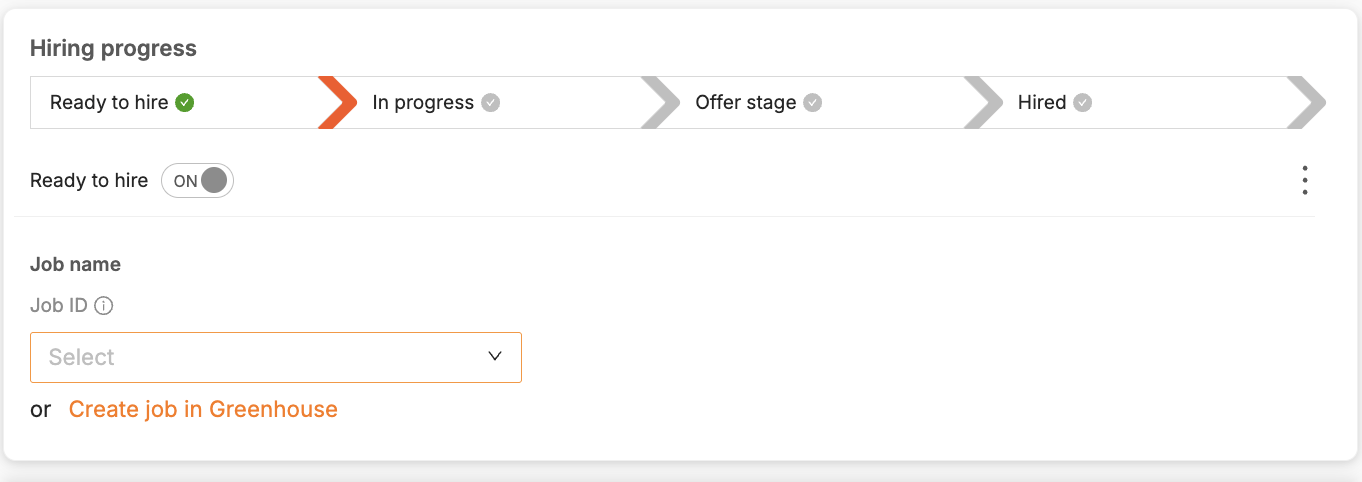
In the notification email, click View Headcount to open the headcount's hiring details.
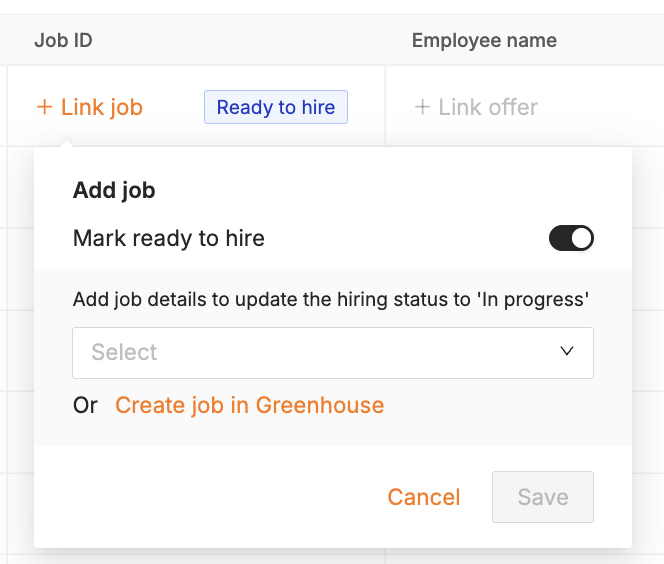
Click + Link job and select the job req.
Select the opening ID for this specific headcount.
Bulk link multiple headcount from the Recruiting Workboard
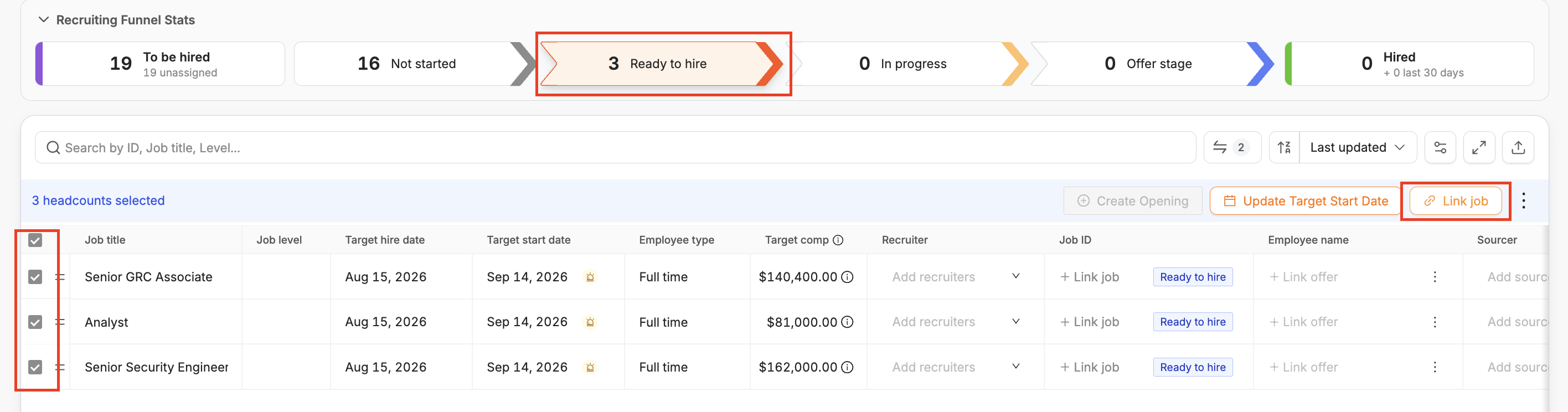
Open the Recruiting Workboard and click to “Ready to hire” stage in the funnel to see headcount ready to be linked. Opt. Use filters (for example, department) and search by job title to find the headcount you need to link.
Click on the headcount(s) and follow the bulk workflow to + Link job.
Select the opening ID individually for each headcount..
Note: Once you link a job req, the headcount automatically moves to In Progress status.
Hiring and Offer status is auto-updated once linked
If using opening IDs, TeamOhana will detect when new offers are sent and accepted. The hiring status will be automatically updated in the Hiring details section. All the offer details included in Greenhouse will also automatically update in TeamOhana.
Manual linking offers (if not using opening-ID's)
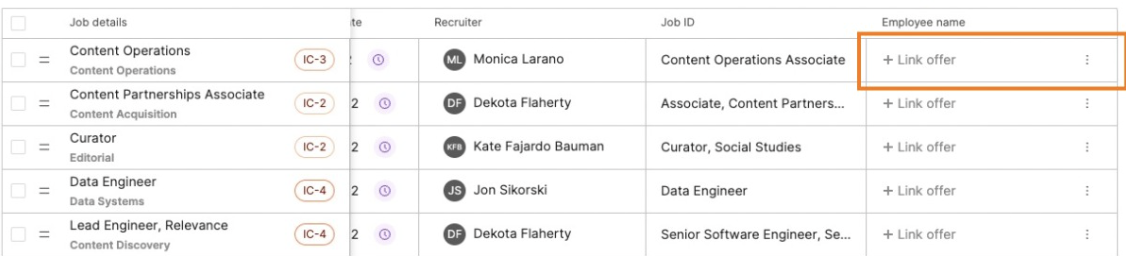
If you're not using opening IDs, offers must be manually linked once they are created. You can link offers from the hiring details section or +link offer from the hiring details. (not a recommended best practice)