Recruiting Dashboard
Last updated: October 21, 2025
Tracking your organization’s hiring progress and expectation for the year is key to making important decisions on recruiter capacity planning, addressing business needs and ensuring appropriate recruitment planning.
TeamOhana’s Recruiting Dashboard is designed to provide a comprehensive view of recruiting progress, performance and a real-time, accurate forecast of recruiting for the current year.
The dashboard brings you decision-making power by giving you a full overview of hiring.
How to Access the Recruiting Dashboard?
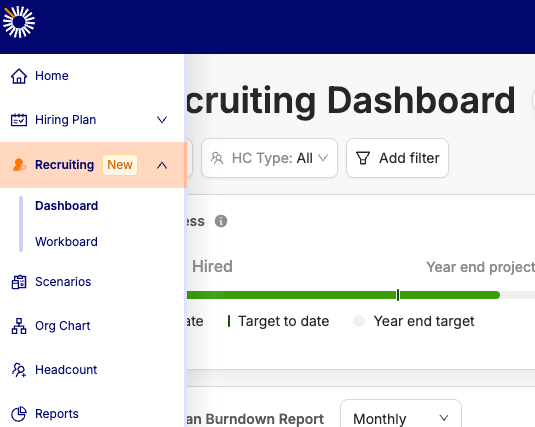
The dashboard is available in the 'Recruiting' section in the main navigation bar (on the left side of your screen). Access to the dashboard is controlled by a User role permission - if you do not have access, please reach out to an admin user.
Key Elements of the Recruiting Dashboard:
Hiring burn-down report: Track planned vs. actual hiring for the year. See what’s been added, shifted, or rolled over, and get a clear view of hiring outcomes month by month.
Hiring Health: Instantly see which headcounts are On Track, At Risk, or Past Due; so you can intervene early and keep hiring on schedule.
Hiring Progress Report: Visualise filled vs. planned headcount by recruiter, department, division with flexible time filters.
Gap Analysis: Forecast shortfalls and hiring gaps month-by-month, based on historical hiring trends
Let’s explore each element in detail.
Hiring Burn Down Report
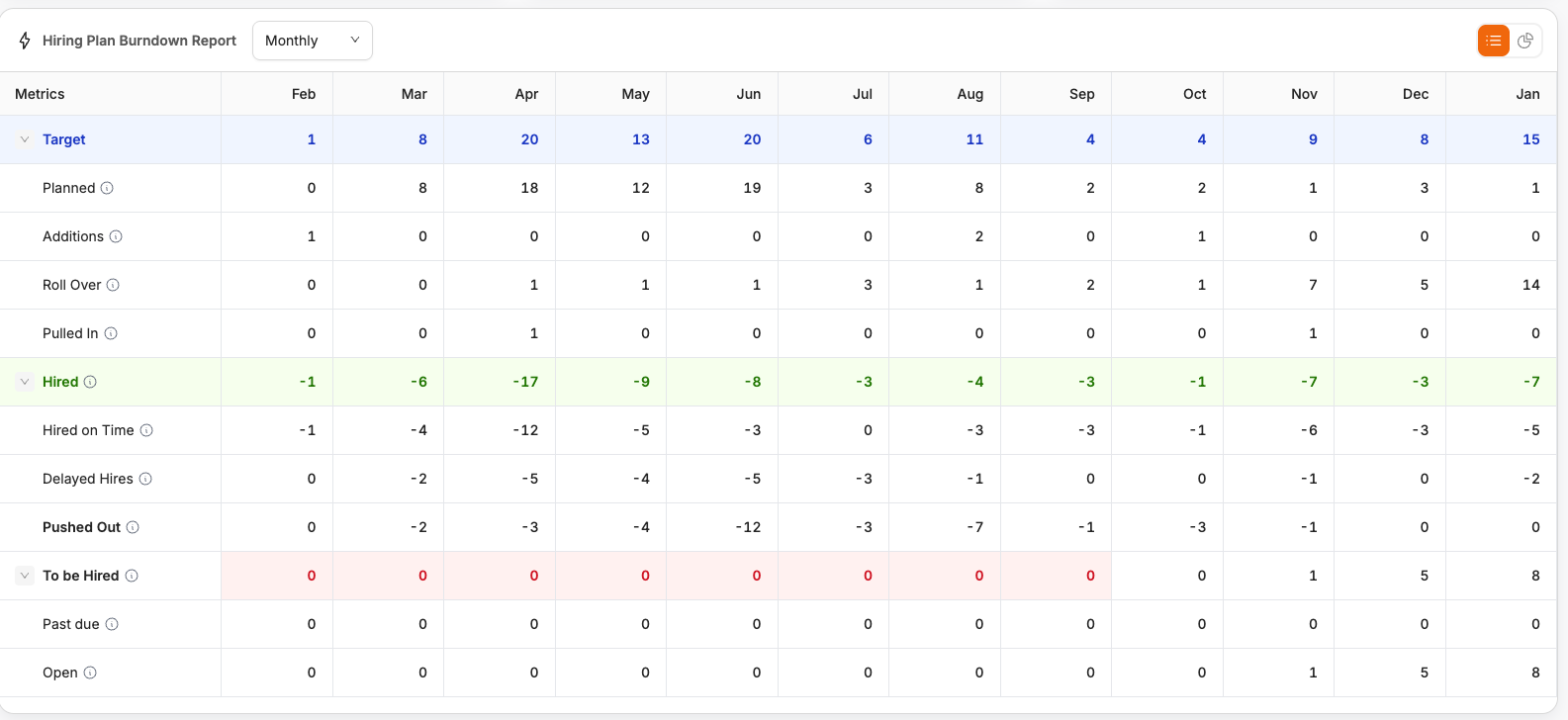
Summary: This report gives you an overview of hiring progress so far during the year, and the expected planned hiring for the rest of the year.
Views: Toggle between Monthly and Quarterly views
How it works: This report is calculated based on Target / Actual start dates of headcount
Key Terms explained:
Target: Expected hiring for each month / quarter. This includes the following:
Planned: Headcounts approved in advance, with target start date in each month.
Additions: Headcounts approved during the month with target start dates in the same month.
Roll Over: Headcounts with target start dates in this month rolled over from previous months
Pulled In: Headcounts with target start dates in this month pulled in from future months
Hired: Actual performance so far. This includes the following:
Hired on Time: Headcounts with target start dates in the month and actual start date in the same month
Delayed Hires: Headcounts with target start dates in the month and actual start date in the same month
Pushed Out: Headcounts with target start date pushed out to future date
To be Hired:
Past due: Headcounts pending to be hired and are past due
Open: Headcounts pending to be hired with future start dates
Gap Analysis:
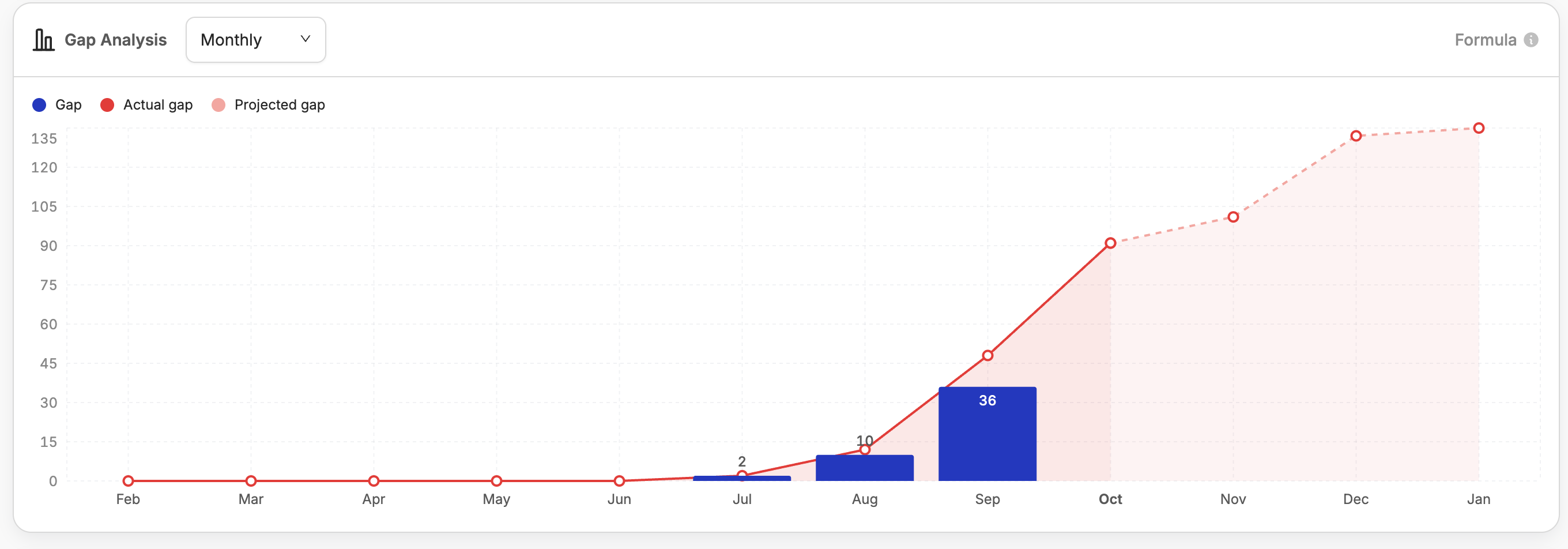
Summary: Shows you hiring gap in each time period, as well as the cumulative gap in hiring. Also predicts future hiring gap for the year.
Views: By month or quarter
Key Terms explained:
Gap: Actual hiring gap for a given month / quarter. This the difference between planned hires and the actual completed hires, all based on target start dates in the given month / quarter.
Actual gap: Cumulative actual hiring gap until the current month / quarter
Projected gap: This is calculated based on projected hiring velocity, which is assumed to be the average of hiring volumes in the past 3 months.
Hiring Progress Report:

Summary: A snapshot of planned and actual hiring
Views: By Recruiter, Division, Department ; Breakdown by month or quarter
How it works: Calculation of target and progress is based on target start dates
Hiring Health:
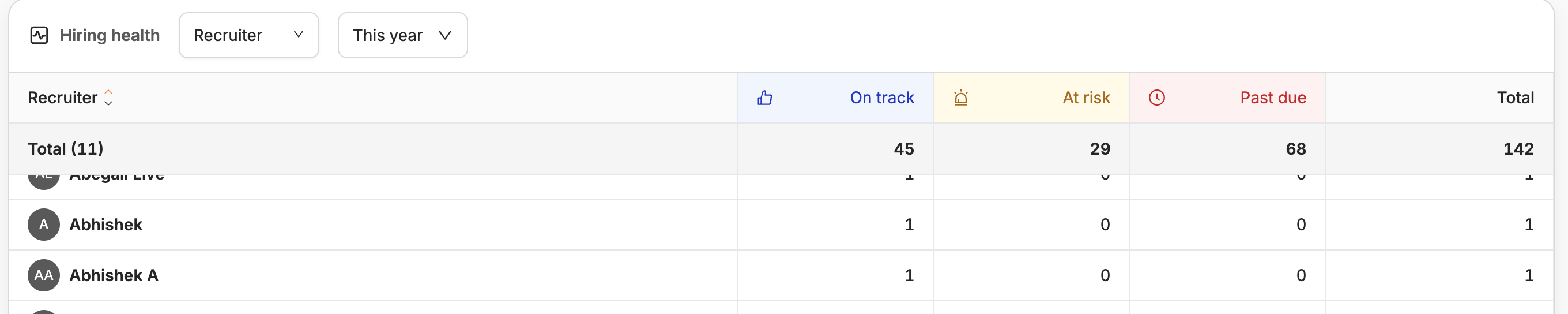
Summary: This table allows you to track the ‘health’ of your open roles - whether they are on track, at risk or past due on their hiring.
Views: By Division, Department, Recruiter
Key Terms Explained:
On Track: Roles are opened for hiring within the Target open date, and are hired by the target hire date (calculated based on the target start date set).
At Risk: Roles haven’t been opened for hiring by the target open date, or haven’t been hired by the target hire date (calculated based on the target start date set).
Past Due: Any open roles which are past the target start date.