Marking Departments as Archived vs Inactive
Last updated: August 13, 2026
As companies grow and evolve, it's natural for re-orgs to take place and departments to be deprecated as the needs of the business change.
If your company has experienced a re-org and you notice that departments that no longer are in use are still showing up in TeamOhana, an admin or other user role with granted access can manually update department(s) to be listed as archived via Org Setup > Departments.
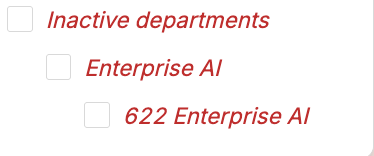
When a department is archived, it will no longer show up as an option when users are creating requests for new headcount or within any module's department filter. However, departments marked "Inactive" will show up in the settings page of the ABAC, as well as the department filter in the hiring plan, ledger and dashboard but it will be denoted as "Inactive." Users cannot create requests for new headcount using an inactive department.
Archive = Remove ability to pull this department(s) into reports, list as department within new headcount requests, or seen within any department filter in modules.
Inactive = Remove ability to list the department within a new headcount request, but allow inactive departments to still be included in reports and department filters (in cases where a user may want to pull data from a previously used department/org that may still have termination records still attached to it).